How to Correct and Resubmit Your Asaan Karobar Card Application
If your Asaan Karobar Card application got rejected or stuck due to errors, don’t worry—you can resubmit it! This guide will walk you through every step, from fixing errors to resubmitting your application, in the simplest way possible.
What Is the Asaan Karobar Card Scheme?
The Asaan Karobar Card is a Punjab government program. It gives interest-free loans to small business owners and young entrepreneurs. The goal? Help you start or grow your business without the hassle of big banks and high interest.
Why Might You Need to Resubmit Your Application?
Sometimes, small mistakes or missing info can cause your application to be rejected or stuck. Common reasons include CNIC errors, SIM not linked, or wrong business details. But you get a chance to fix these and resubmit your application.
Who Can Resubmit the Asaan Karobar Card Application?
If your application shows any verification failure, rejection, or error, you can resubmit it. This is your chance to correct mistakes and give your application a fresh start.
What You Need Before Resubmitting
Make sure all your documents are clear and up-to-date.
How to Resubmit Your Asaan Karobar Card Application: Step-by-Step
Let’s break it down into easy steps. You can do this from your phone or computer—no need to visit any office.
Step 1: Visit the Official Asaan Karobar Portal
Go to akc.punjab.gov.pk. This is the official website for the Asaan Karobar Card scheme.
Step 2: Log In to Your Account
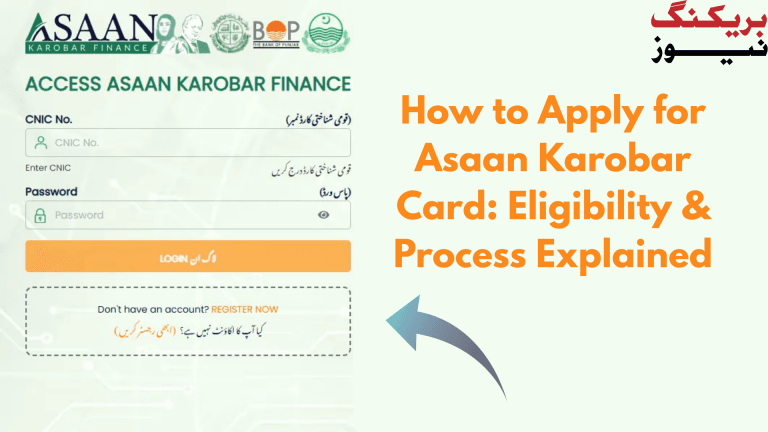
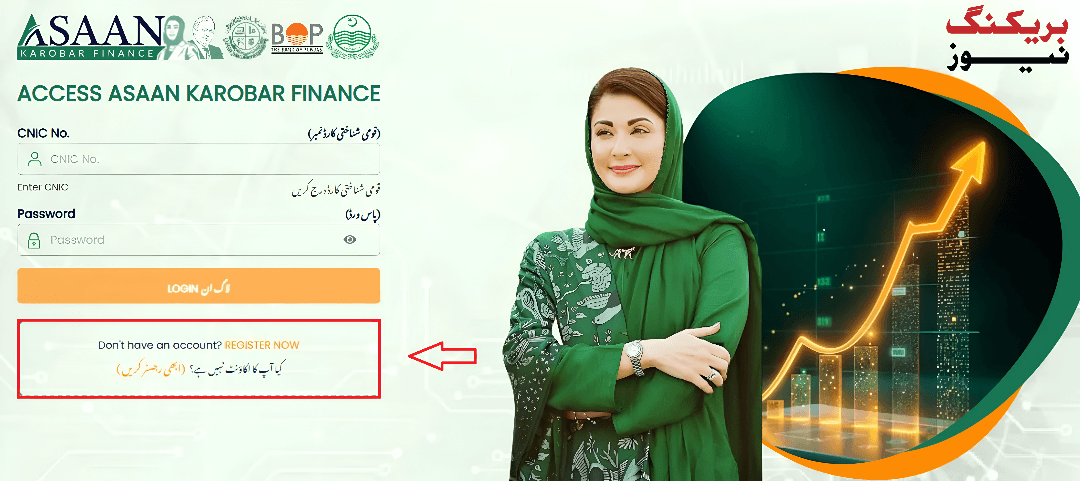
On the homepage, click “Login.” Enter your CNIC and password. If you forgot your password, use the “Forgot Password” option.
Step 3: Check Your Application Status
Once logged in, go to your application dashboard. Check your status. If you see “Rejected,” “Verification Failed,” or “Error,” you can resubmit.
Step 4: Find the Resubmit Option
Look for the “Resubmit” or “Edit” button at the top of your application. Click it to start fixing your application.
Step 5: Fix the Issues
Now, review your application. Fix any errors you see.
Step 6: Review and Save Changes
After fixing the errors, review everything. Click “Save” or “Save & Next” after each section. Don’t skip this—your changes won’t be saved otherwise.

Step 7: Submit Your Application
When you’re sure everything is correct, click “Submit.” You’ll get a confirmation message that your application is resubmitted.
Step 8: Wait for Verification
Your application will be checked again. You’ll get updates via SMS or email. If everything is fine, your application will move forward.
What Happens After Resubmission?
The team will review your corrected application. If all is well, you’ll get your Asaan Karobar Card soon. If there are still issues, you’ll be notified to fix them.
How to Fix Them and Common Errors
Here’s a quick guide to common errors and their solutions:
| Error Type | What It Means | How to Fix It |
|---|---|---|
| CNIC Verification Failed | CNIC details are wrong | Update your CNIC info, check name and date of birth |
| SIM Verification Failed | SIM not linked to CNIC | Register your SIM with your CNIC |
| Business Details Error | Wrong sales or expenses | Enter correct business info |
| Document Issue | Unclear or missing docs | Upload clear, updated documents |
| Credit Assessment Error | Bank or credit issue | Call the bank helpline or wait for scrutiny |
Tips for a Smooth Resubmission

Why Is Resubmission Important?
Resubmission gives you a second chance. Many people make small mistakes the first time. Fixing them and resubmitting increases your chances of getting the loan.
How to Avoid Common Pitfalls
What If You Don’t See the Resubmit Option?
Sometimes, the option isn’t available right away. If you don’t see it, wait a few days or call the helpline. The portal gets updated, and the option may appear later.
Quick Facts

How to Track Your Application Status
You can check your status anytime by logging in to the portal. Look for your application and see if it’s “Under Process,” “Verified,” or “Rejected.”
What If Your Application Is Still Rejected?
If your resubmitted application is still rejected, check the reason. Fix any remaining errors. If you’re stuck, call the helpline or visit your nearest bank branch for help.
Why This Guide Is Different
Most guides just list steps. This one gives you real tips, personal stories, and simple explanations. It’s written to help you, not confuse you

Key Contacts
How to Make the Most of the Scheme
Once your application is approved, use the loan wisely. Invest in your business, keep records, and pay back on time. This will help you grow and maybe even apply for more support in the future.
FAQs
How many times can I resubmit my application?
Usually, you get only one chance to resubmit, so make sure everything is correct.
What if I don’t see the resubmit option?
Wait a few days or call the helpline. The option may appear after an update.
What documents do I need to resubmit?
You’ll need your CNIC, proof of address, business details, and a registered mobile number.
How long does it take to get a response after resubmission?
It usually takes up to a week for verification after resubmission.
What if my application is still rejected?
Check the reason, fix any errors, and call the helpline for help.
Can I apply again if my resubmitted application is rejected?
It depends on the reason. If you fix all errors, you may be able to apply again, but check with the helpline.
Final Thoughts
Resubmitting your Asaan Karobar Card application is easy if you follow these steps. Don’t let small mistakes stop you from getting the support you need. Take your time, fix the errors, and give your business a fresh start.